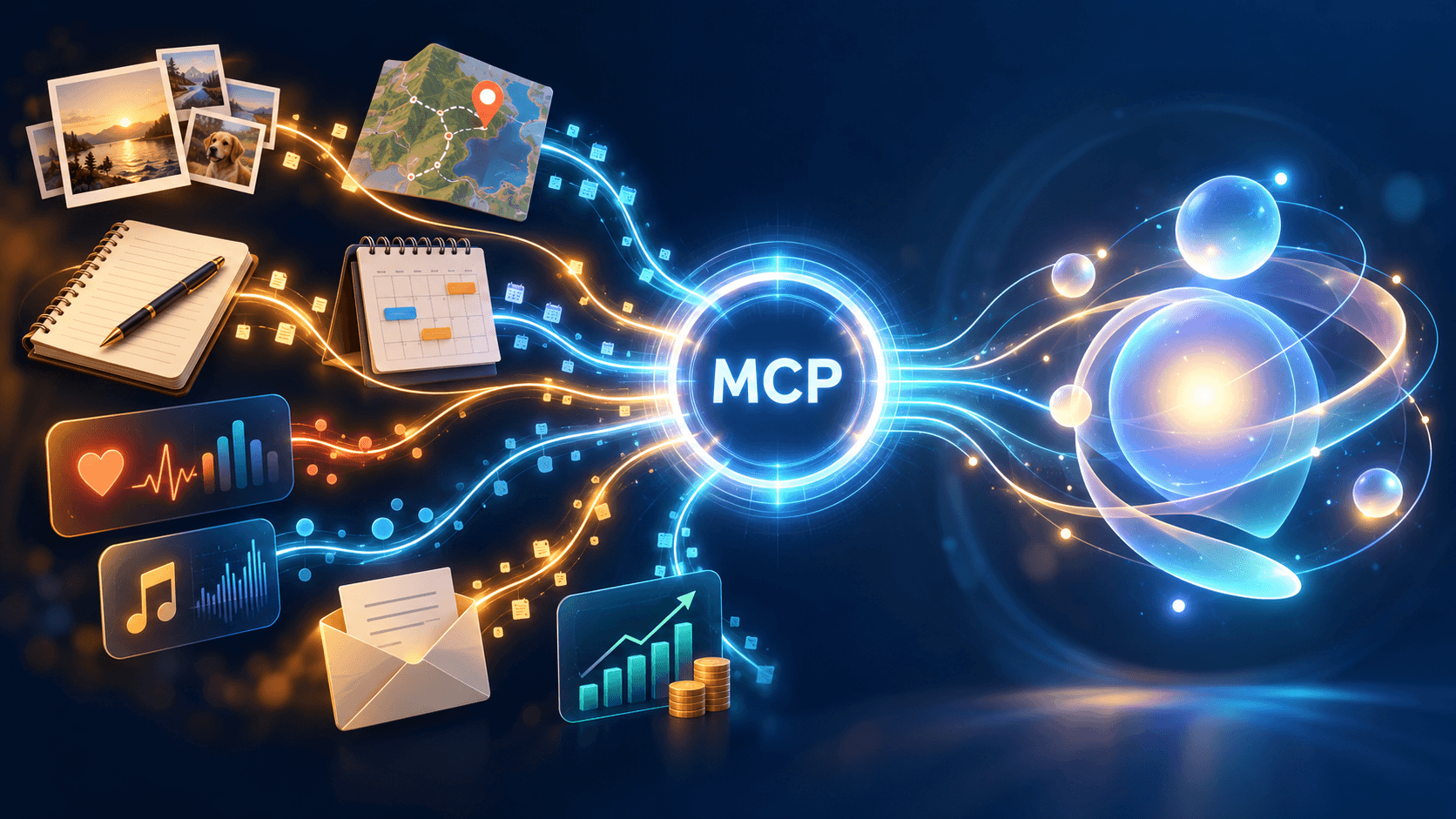
LLMs have incredibly broad knowledge. They can answer questions about history, science, programming, and everyday life with surprising depth. But they do not automatically know my private context: my photos, notes, locations, workouts, calendar events, music, and financial records. That data lives in separate apps and systems, often for good reasons such as privacy, ownership, and security.
If I want a truly personal agent, I need a safe way to connect those data sources to the model. The goal is not to dump all personal data into a chat window. The goal is to let an agent retrieve the right context at the right time, reason over it, and help me understand my own patterns, memories, and decisions.
For a personal AI system, there are several important data domains to consider.
My Data Domains
For myself, I already use several apps and platforms to store photos, notes, location history, workouts, calendar events, and other personal records.
Obsidian
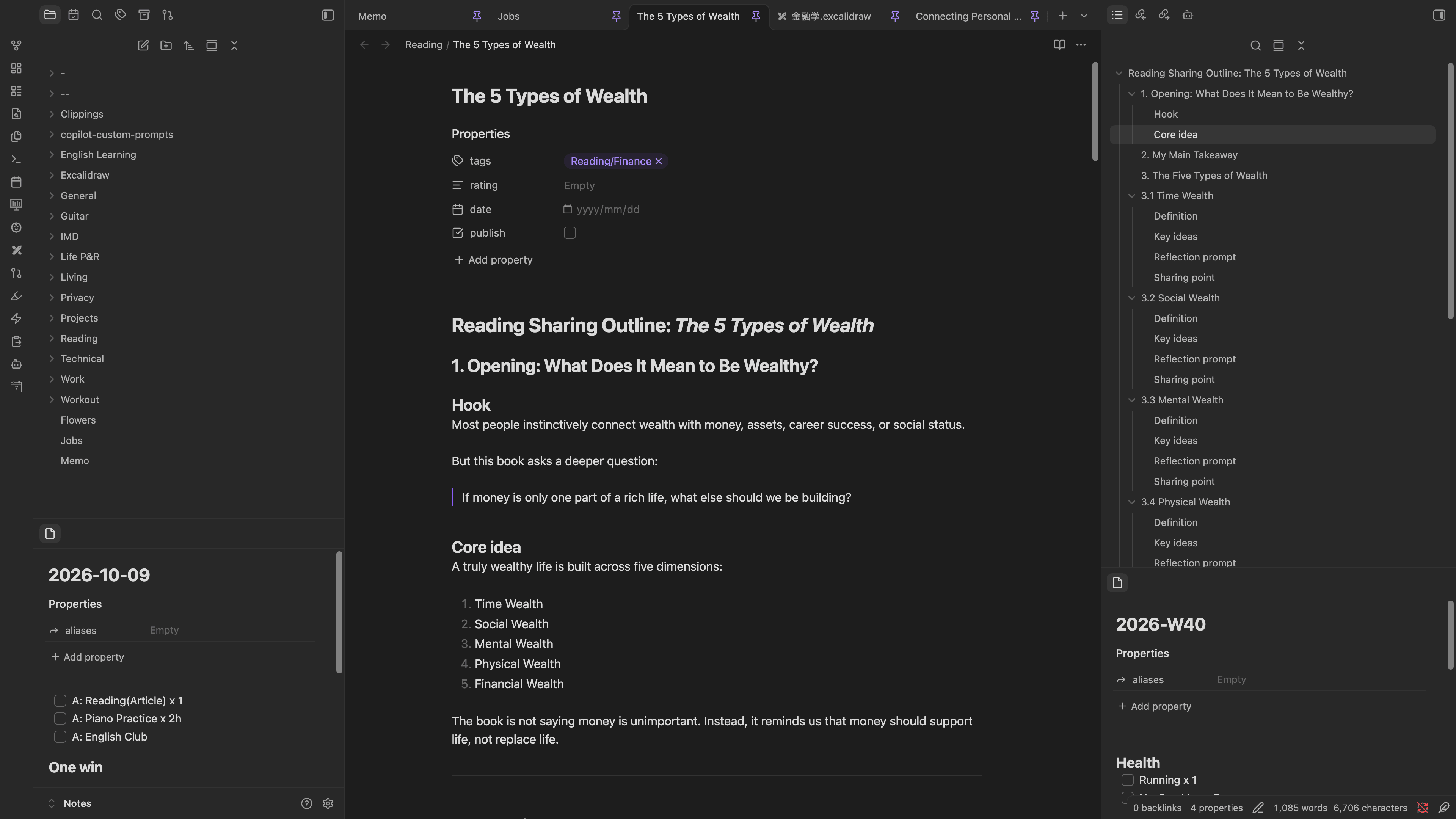
I use Obsidian as my primary personal knowledge management system. It stores notes as Markdown files and connects them through links, tags, and backlinks. My vault contains personal notes, research, daily reflections, and project documentation. With community plugins, it also becomes a flexible workspace for automation, embedded media, and visual summaries.
Immich
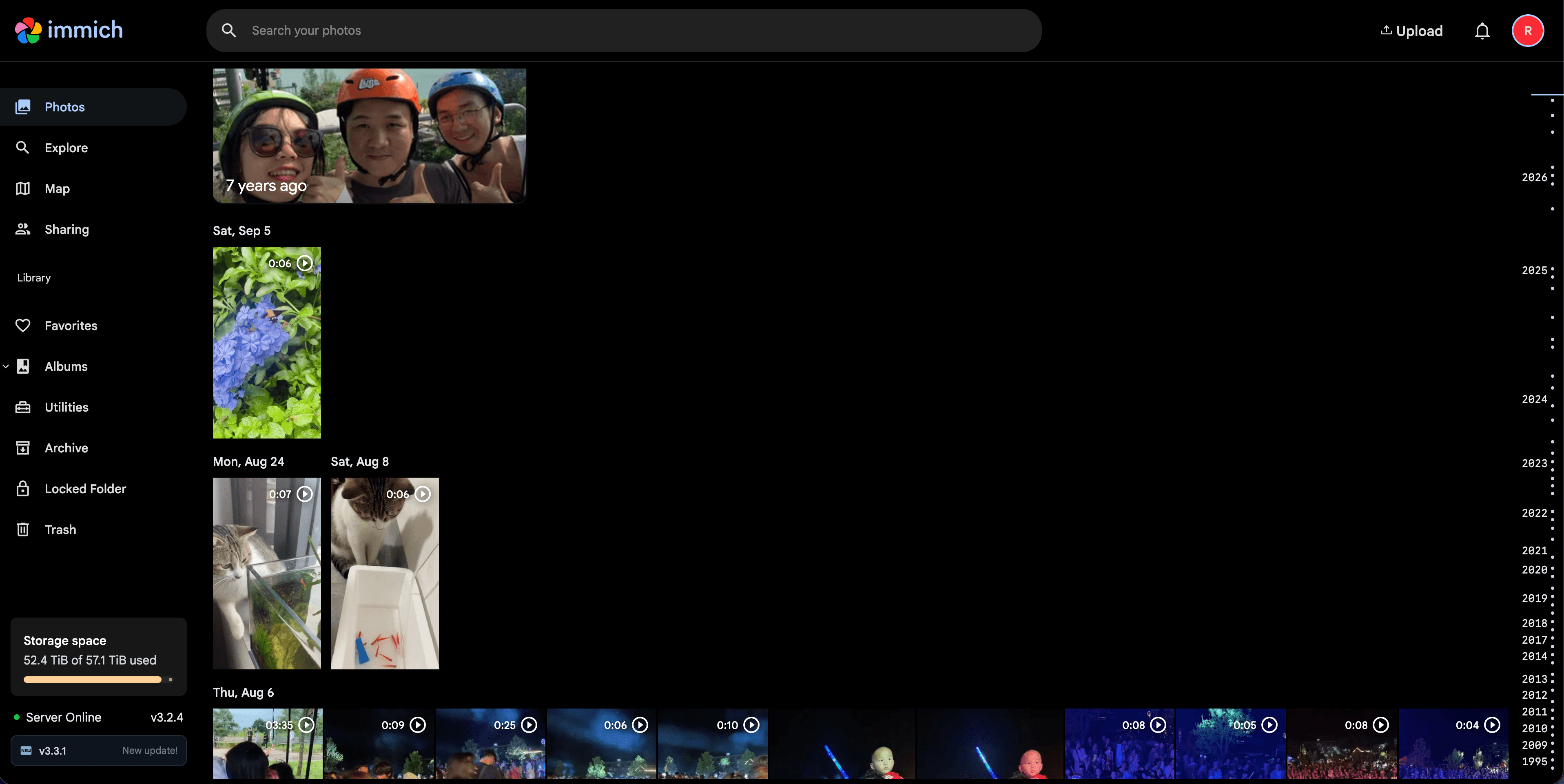
Immich is an open-source, self-hosted photo and video management platform. I use it to store and organize my personal photo library because it gives me more control over where my media lives, how it is searched, and how it can be integrated with other systems. Compared with Apple Photos, Immich fits my preference for self-hosted infrastructure and avoids locking my photo library entirely inside iCloud.
Dawarich
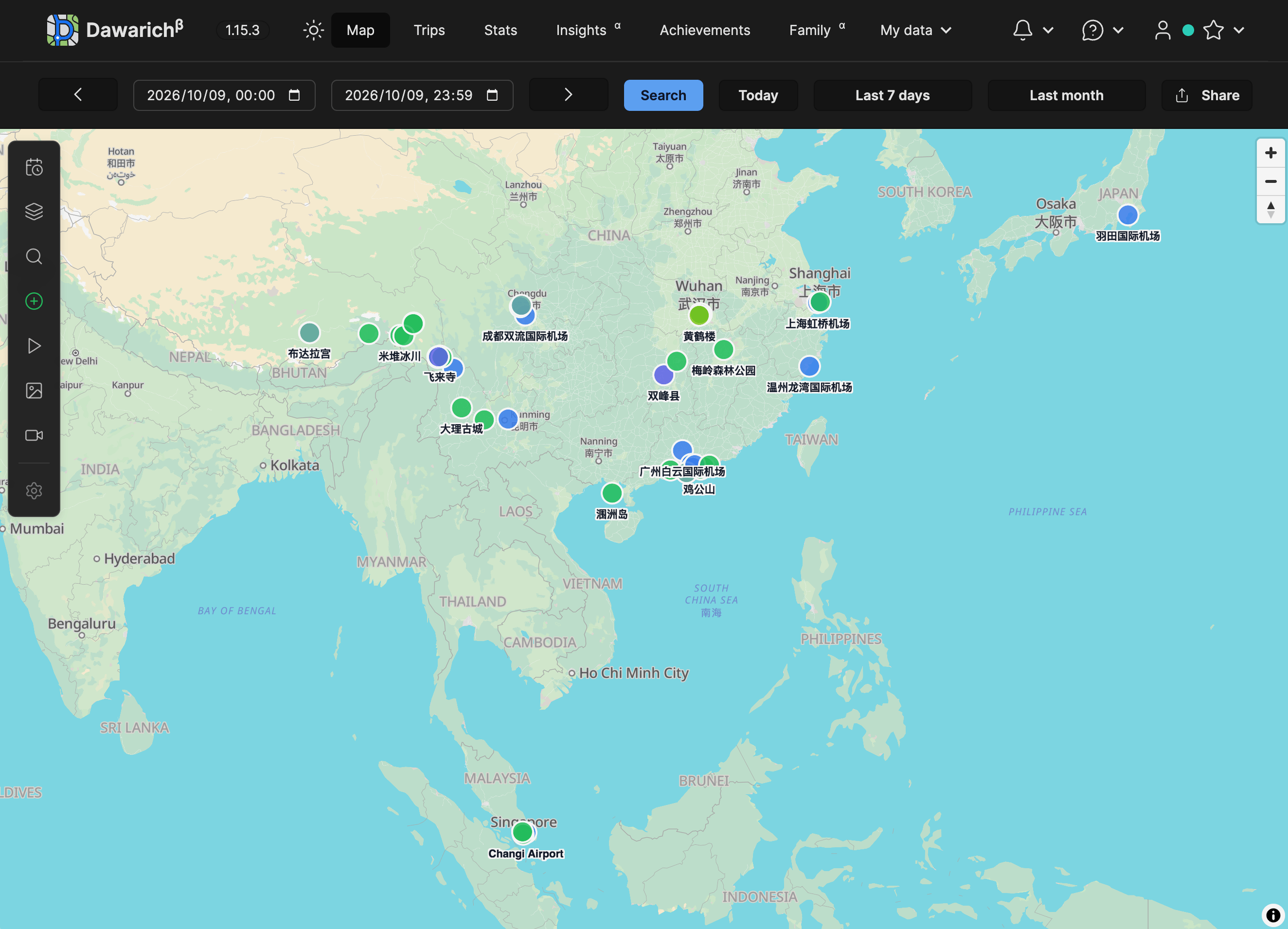
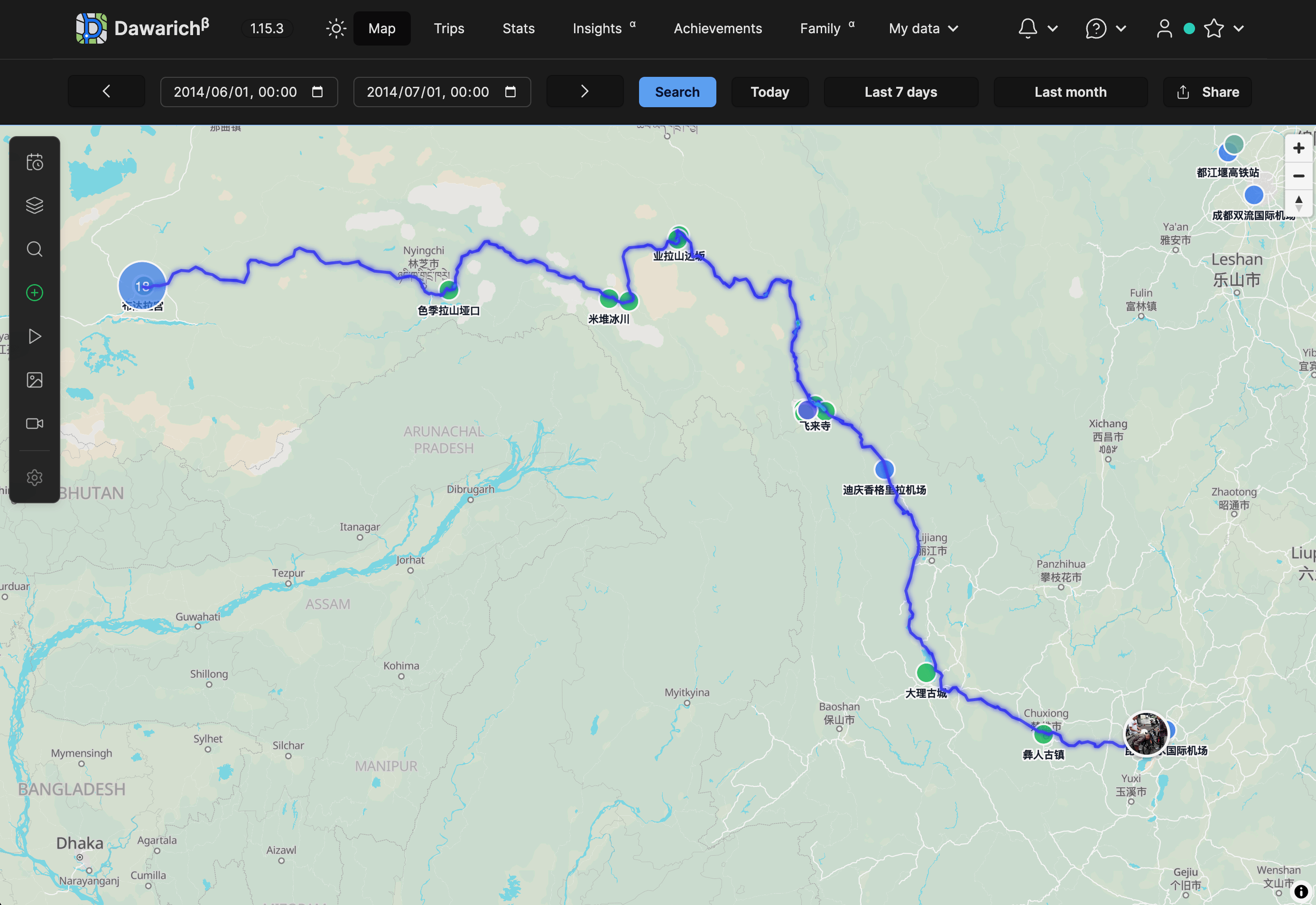
Dawarich is an open-source, self-hostable location history tracker. It records GPS coordinates and timestamps, then visualizes movement over time. This makes it possible to revisit places I have been, analyze travel patterns, and connect location history with photos from Immich. For a personal agent, this kind of timeline can become useful context for questions about trips, routines, and meaningful places.
Hevy
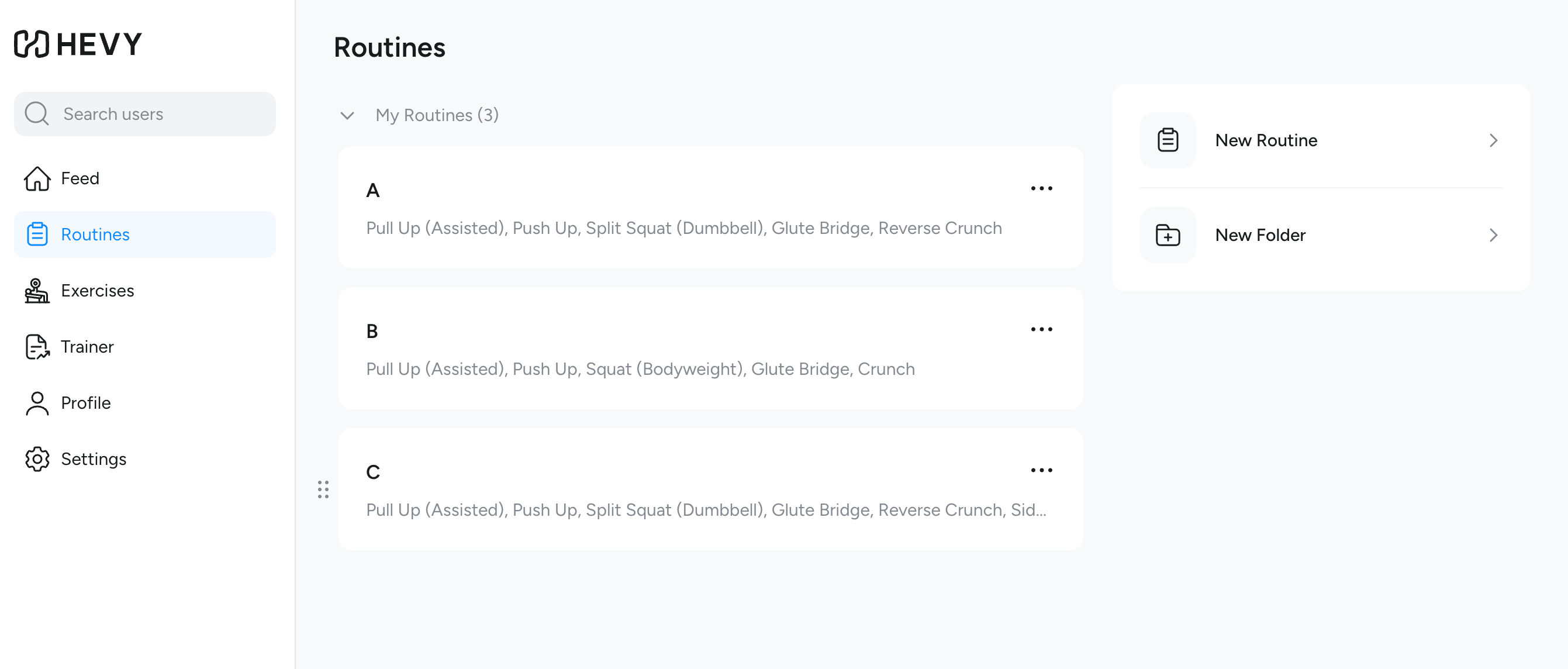
Hevy is a workout tracker that logs exercises, sets, reps, and progress over time. It supports iPhone, Apple Watch, and a web interface. For an agent, workout history can become useful context for reviewing consistency, recovery, and long-term fitness progress.
Navidrome
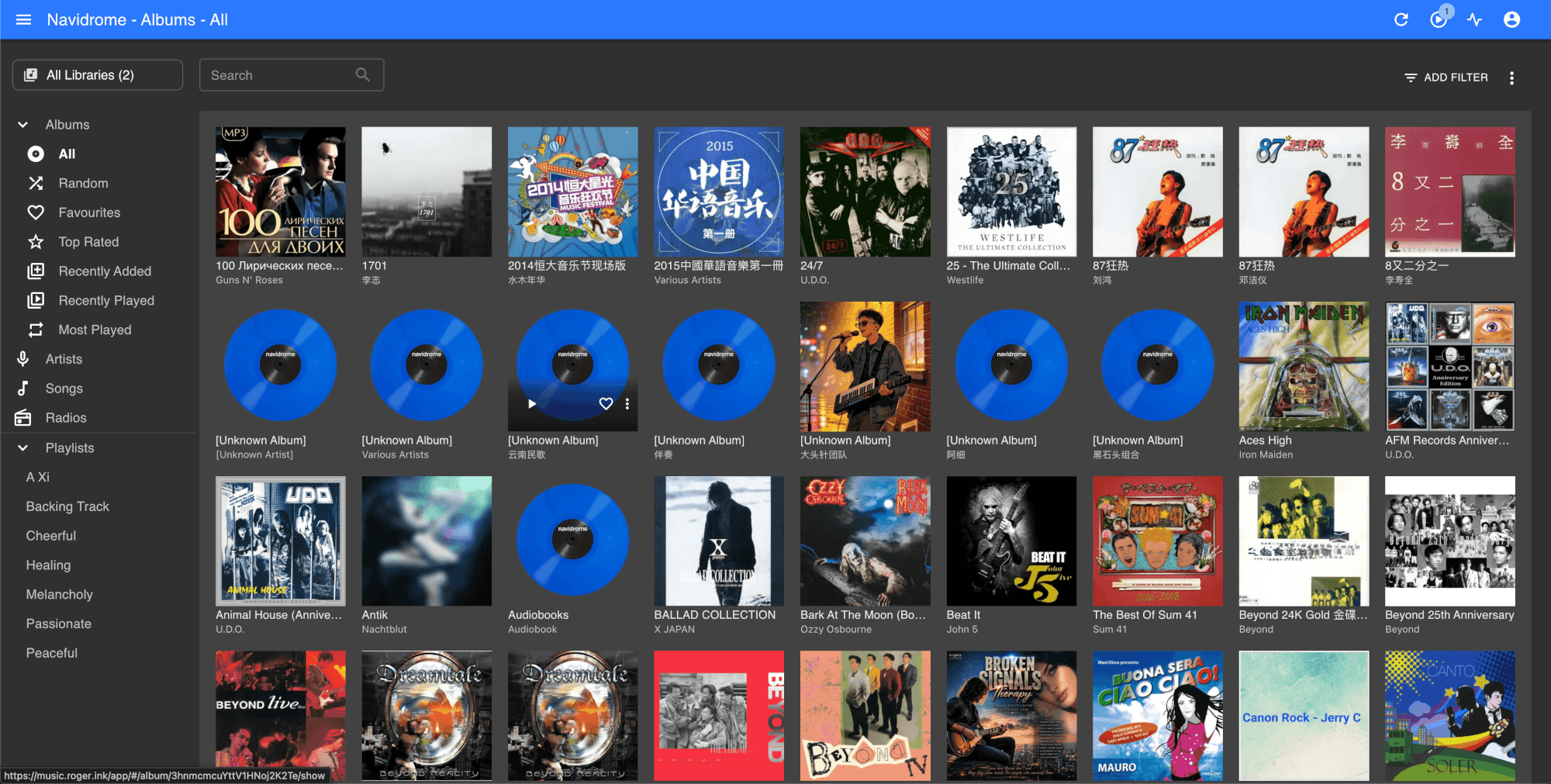
Navidrome is a self-hosted music server that streams a personal music collection across devices. I use it because some songs I like are not available on mainstream streaming platforms, and I prefer to keep my own music library. Music history and playlists can also become signals for mood, taste, and personal routines.
These services have different deployment models. Some are local-first, some are cloud-based, and some are hybrid. That makes integration harder, because each system has its own API, authentication model, data format, and privacy boundary.
Some of these systems already have integration paths. ChatGPT can connect to services such as Gmail, Hevy, and GitHub through plugins or connectors. With computer-use capabilities, an agent can also operate apps such as Apple Calendar. Dawarich has started to expose an MCP server in newer versions. For Obsidian, I prefer to give the agent access to the vault as a folder so it can work directly with Markdown files.
Immich became my first custom MCP project because photos are one of the most personal and useful data sources. A photo library contains memories, people, places, events, and visual context that are difficult to capture in text alone. So the first concrete step was to build an MCP Server that connects my Immich photo library to ChatGPT.
Building an Immich MCP Server
MCP is not simply another transport for REST APIs. It is a standard interface through which AI applications can discover and use external capabilities and context.
The final result is an MCP Server that lets ChatGPT:
- retrieve recent Immich assets;
- search photos and videos by natural language intent;
- return normalized metadata instead of raw API responses;
- send thumbnails as multimodal content;
- render an image and video gallery through an MCP App.
1. Core MCP Concepts
MCP has three main roles:
- Host
- Client
- Server
A simplified view looks like this:
Host
The Host is the AI application the user interacts with. Examples include ChatGPT and Claude Desktop. The Host manages things such as:
- the conversation
- the LLM
- MCP connections
- tool execution
- context
- UI rendering
The Host does not need to understand how Immich itself works. It only needs to understand MCP.
Client
The MCP Client lives on the Host side and communicates with an MCP Server. Conceptually, it is responsible for protocol-level operations such as:
initializetools/listtools/callresources/listresources/readprompts/listprompts/get
Server
The MCP Server exposes capabilities and context to the Host. It is the adapter layer between an AI system and an external system. In my project, immich-mcp exposes:
- Tools
- Resources
- Prompts
- UI Resources for an MCP App
The important point is that the MCP Server owns the external-system complexity.
2. Tools, Resources, and Prompts
An MCP Server exposes three primitives to a connected client. They differ by who decides to use them:
A useful mental model became:
Tool = Capability
Resource = Context or Data
Prompt = Task Template
Tools
A Tool represents an operation the model can call. For example:
get_recent_assetssearch_assetsget_server_info
Tools usually have input schemas and return structured results, text, images, or other content.
Resources
A Resource represents readable context. For example:
immich://library/stats

Counts and storage usage for the Immich library.
This is not primarily an action. It is a named piece of context that the Host can read.
Prompts
A Prompt is a reusable instruction template. For example:
review_memories(days=30)

Guide a model to review recent personal memories using Immich.
The important lesson is that the Prompt itself does not execute Tools.
Instead, the Host retrieves the Prompt, gives it to the model, and the model may then decide which Tools to call.
3. MCP Transport: stdio vs Streamable HTTP
Another concept that became much clearer through implementation was transport. The same logical MCP Server can communicate with a Host through different transports. Two important options are:
stdio- Streamable HTTP
The Tool design does not fundamentally need to change just because the transport changes. Transport is mainly a deployment and communication decision.
stdio
For local development and personal tools, I used stdio.
With stdio, the Host starts the MCP Server as a subprocess and communicates through standard input and output.
This means I do not need the following just to run a local personal MCP Server:
- port
- HTTP server
- Docker
- reverse proxy
- remote authentication
The MCP Server configuration in ChatGPT is essentially:
Command:
uv

Arguments:
run
immich-mcp

Working directory:
/Users/roger/Projects/immich-mcp
So ChatGPT effectively performs:
cd /Users/roger/Projects/immich-mcp
uv run immich-mcp
The process lifecycle becomes:
This is why I do not need Docker just to run my local MCP Server.
Streamable HTTP
A remote MCP Server has different requirements. Instead of the Host starting a subprocess, the Host connects to a running HTTP service.
Streamable HTTP makes more sense when the MCP Server needs to be:
- remotely accessible
- independently deployed
- shared by multiple clients or agents
- operated as a persistent service
- placed behind infrastructure such as Docker, a reverse proxy, or managed hosting
So the practical rule is:
stdio is best for local, single-user, subprocess-based usage. Streamable HTTP is better for remote, persistent, or shared deployment.
4. MCP vs Agent-Local Tools
Strictly speaking, an Agent does not need MCP in order to use tools.
Without MCP, I can define tools directly inside the Agent project. For example, an Agent codebase can contain a Python function such as search_assets(), register it as a function-callable tool, and let the model call it directly.
In that design, the tool belongs to the Agent application itself. The Agent project owns everything:
- the tool schema
- the tool implementation
- HTTP calls
- response normalization
- error handling
That works, but it tightly couples the Agent to the Immich integration. If I later want another Host or Agent to use the same capability, I have to reimplement or copy that integration.
MCP changes the boundary. Instead of embedding the tools inside one Agent project, I expose them through an MCP Server. Then any MCP-compatible Host can discover and call the same capability.
| Design | Where is the tool defined? | Who can reuse it? | Trade-off |
|---|---|---|---|
| Agent-local tool | Inside one Agent project | Mainly that Agent | Simple, but tightly coupled |
| MCP Tool | Inside an MCP Server | Any compatible MCP Host | More structure, but reusable and standardized |
So the real distinction is not “tools vs MCP”. The distinction is:
Agent-local tools put the integration inside one Agent project. MCP turns the integration into a reusable capability provider outside the Agent.
5. Tech Stack
For this Immich MCP project, I used a deliberately small Python-based stack.
| Layer | Choice | Why |
|---|---|---|
| MCP framework | MCP official Python SDK | Provides the MCP Server primitives, Tool registration, Resource support, Prompt support, and stdio runtime. |
| Runtime / package management | uv | Fast local development and reproducible project execution. |
| Language | Python | Good fit for API integration, async HTTP clients, and small server-side adapters. |
| Immich access | Immich REST API | The MCP Server still talks to Immich through its normal HTTP API. |
| Configuration | local .env | Keeps IMMICH_URL and IMMICH_API_KEY local to the project. |
| Transport | stdio for local use | Lets ChatGPT start the MCP Server as a subprocess without Docker or a public HTTP endpoint. |
The key choice is the MCP official Python SDK. I did not build the MCP protocol layer from scratch. The SDK handles the MCP-facing server structure, while my project code focuses on the Immich-specific adapter logic.
6. Immich MCP Architecture
With those concepts separated, the architecture of my Immich MCP Server becomes easier to understand.
The Server is not a replacement for Immich's REST API. It is an MCP-facing adapter that presents Immich capabilities in a form an AI Host can discover and use.
The runtime flow looks like this:
7. Development Strategy
I built this MCP server with an AI-assisted workflow, but I did not treat it as a one-shot code generation task. The strategy was to keep the scope narrow, write down project rules first, and then let the agent implement one verified layer at a time.
The most important artifact was an AGENTS.md file. It acted like a project contract for the coding agent: what the project is trying to build, which stack to use, what safety rules to follow, and how to make implementation decisions.
A cleaned-up version of that guidance looks like this:
# Immich MCP

## Goal

Build a small, production-oriented MCP server for Immich.

## Tech Stack

- Python 3.13+
- uv
- MCP official Python SDK
- pytest

Keep MCP protocol logic separate from Immich API integration.

## Principles

- Read-only by default.
- Do not expose every Immich API endpoint as an MCP tool.
- Design agent-oriented tools, not API wrappers.
- Never hardcode the API key.
- Do not return raw Immich responses unless necessary.
- Use pagination and bounded result sizes.
- Use explicit timeouts.
- Retry only safe/idempotent operations.
- Keep implementations simple.
- Configuration must come from a local .env file only.

## Initial Capabilities

Tools:
- get_recent_assets
- search_assets
- get_server_info

Resource:
- immich://library/stats

Prompt:
- review_memories

## Development Rule

Before implementing a significant change:

1. Explain the proposed design.
2. Identify the relevant Immich API endpoints.
3. Explain the MCP tool/resource/prompt schema.
4. Implement the smallest useful version.
5. Add or update tests.
6. Verify with a real MCP Host or Inspector.

Use current Immich API documentation rather than guessing endpoints.
This gave the agent a clear boundary. It reduced the chance that the implementation would drift into a large, unsafe wrapper around the entire Immich API.
For this project, the verification target was not only “tests pass.” Each major capability also had to answer a practical question:
- Can the server start as an MCP Server?
- Can it read configuration without leaking secrets?
- Can it call Immich safely?
- Can the Host discover the Tool?
- Can the model call it with useful arguments?
- Can the result be understood by both the model and the user?
That is why the implementation strategy was incremental. The goal was not just to generate code, but to gradually prove that each layer of the MCP integration actually worked.
8. MCP Apps
After the basic MCP Server worked, I ran into a different kind of problem: the model could use the returned image content, but the user experience was still not ideal.
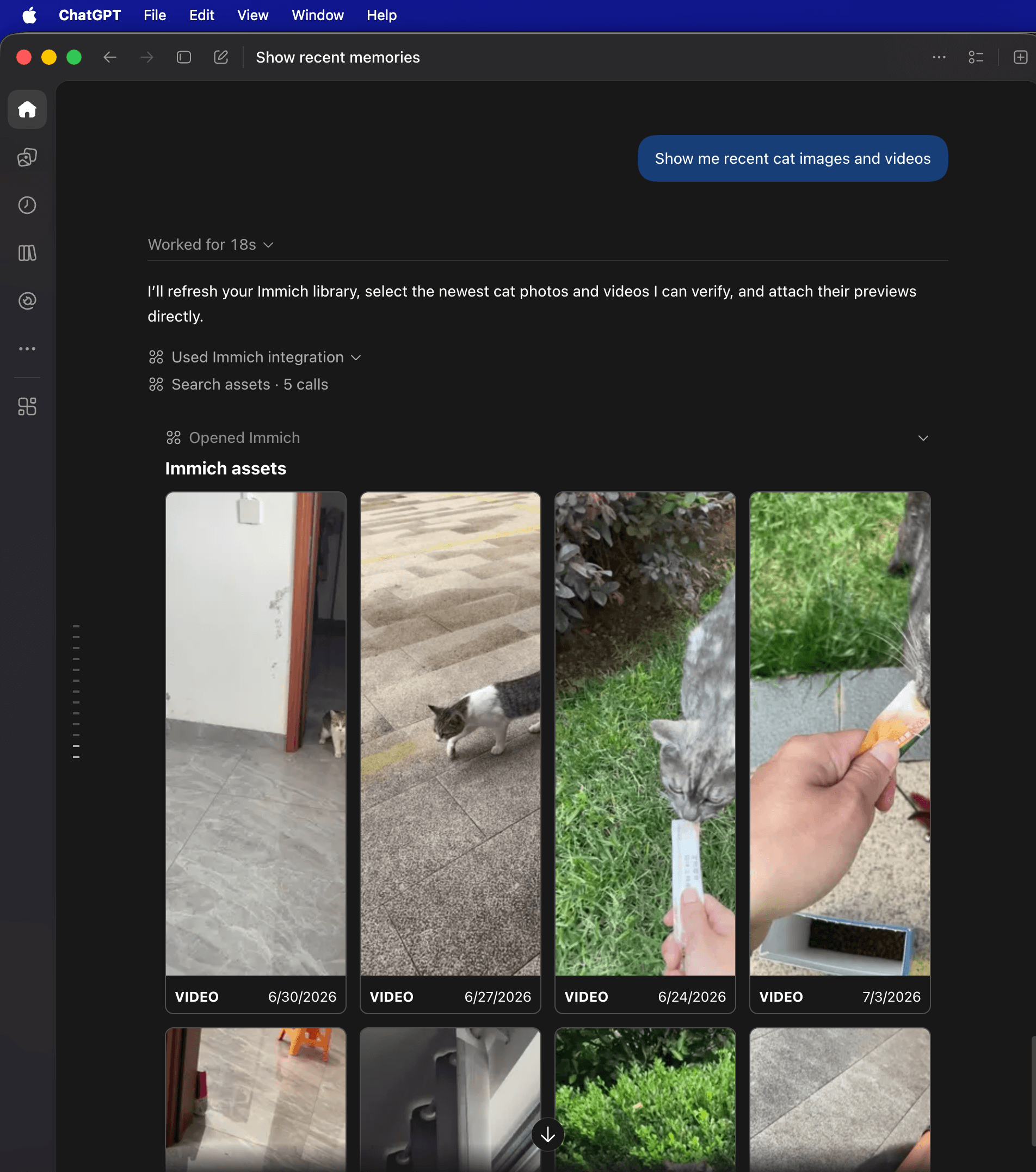
The Server returned image and video thumbnails, and ChatGPT could describe them in text. However, the ordinary chat response did not automatically become a photo gallery. The model had visual access, but I still wanted the user to browse the assets directly inside the conversation.
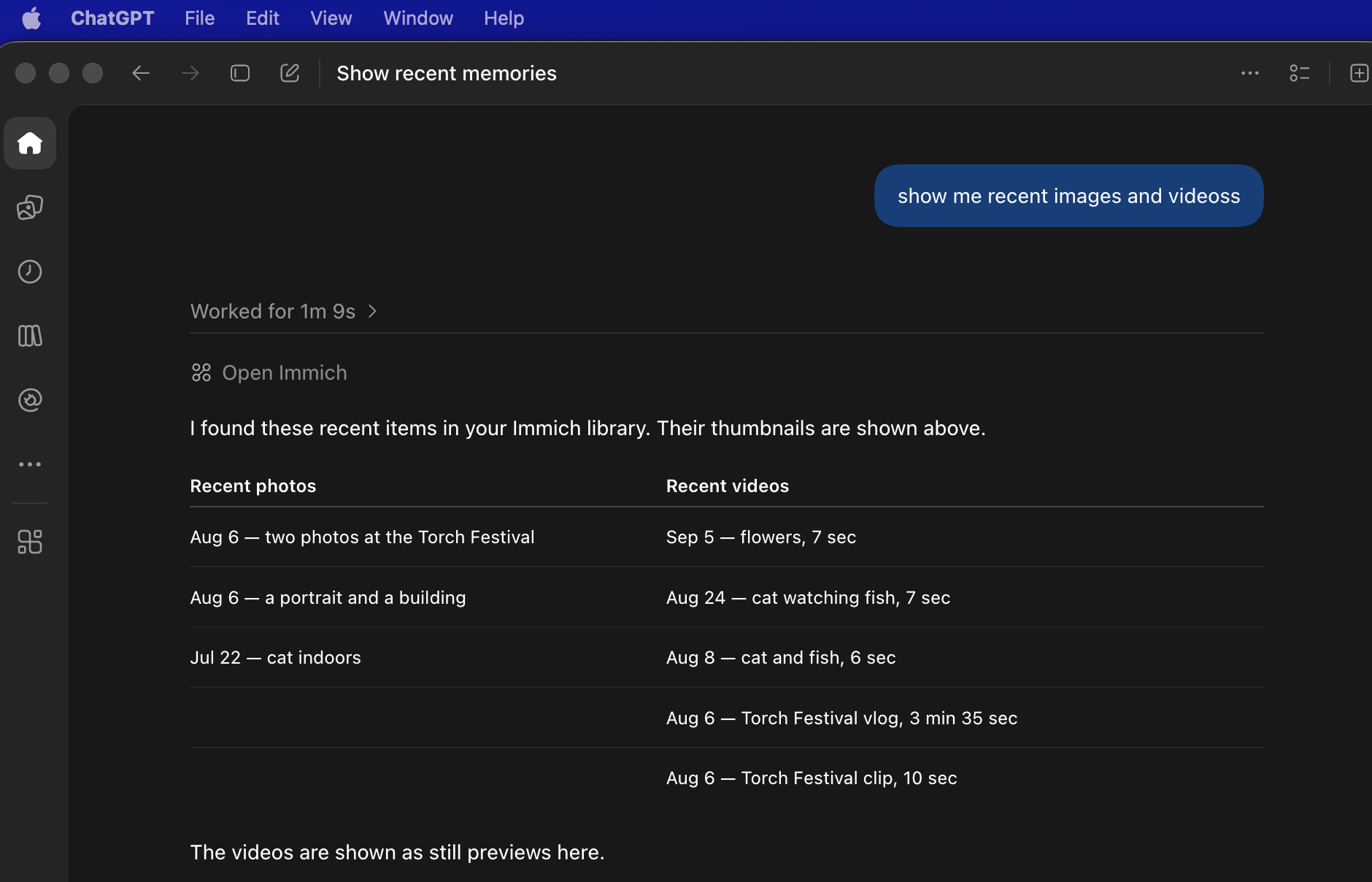
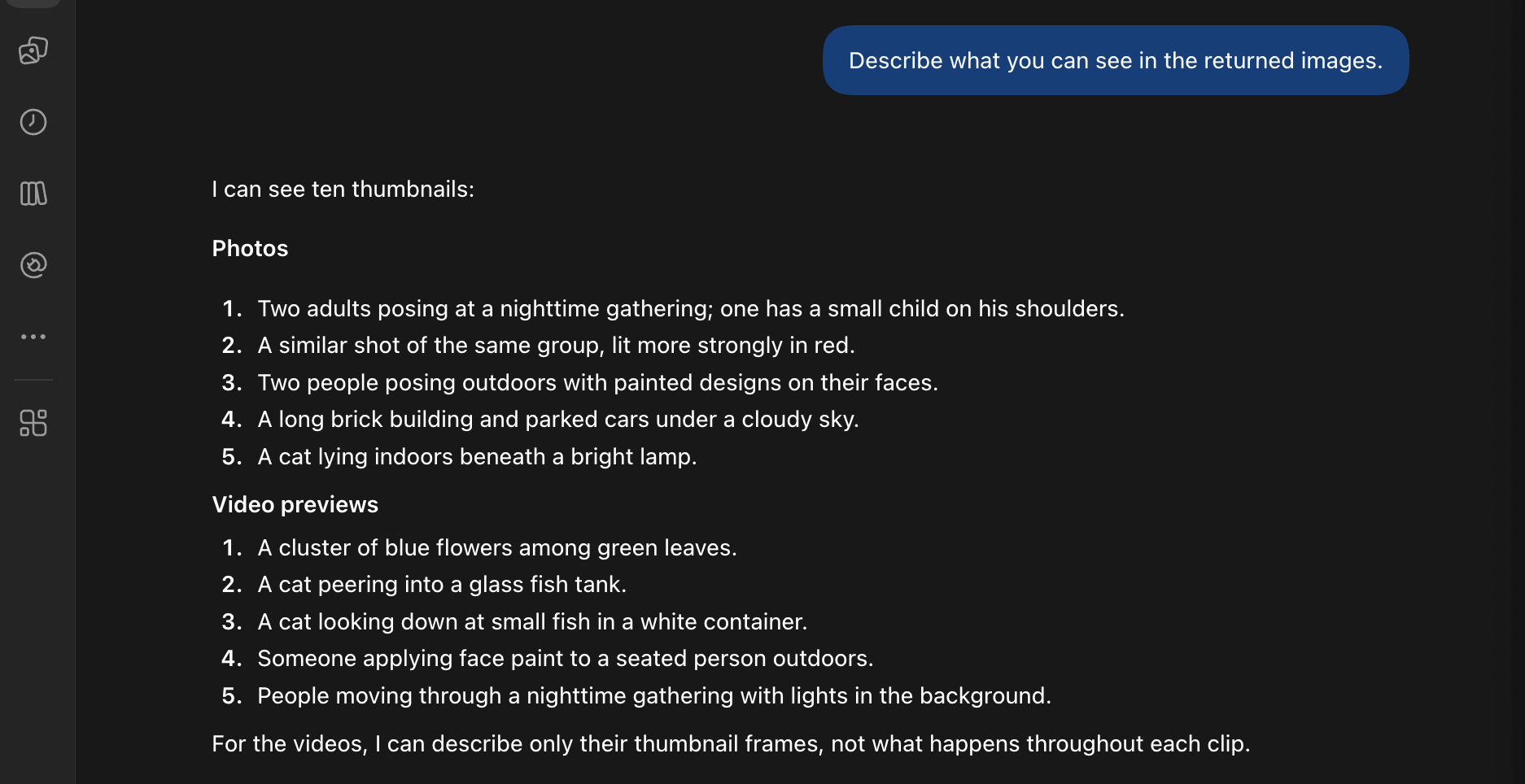
That is where MCP Apps became useful.
An MCP App is not another backend API. It is an interactive UI layer that a supporting Host can render alongside tool results. In this project, the App is a small gallery interface for Immich assets.
The distinction became clearer to me like this:
| Layer | Purpose | In this project |
|---|---|---|
| MCP Tool | Fetch or search assets | get_recent_assets, search_assets |
| Tool result | Return structured data and thumbnails | asset metadata, thumbnail references, dates, types |
| UI Resource | Provide renderable interface | gallery HTML/CSS/JavaScript |
| MCP App | Combine Tool + result + UI into an experience | Immich gallery inside ChatGPT |
So the goal was not just:
Tool returns images -> model can see them
The goal became:
Tool returns structured assets -> UI Resource renders gallery -> user can browse them
The implementation idea is therefore:
- Register a UI Resource such as
ui://immich/gallery. - Link asset Tools to that UI Resource.
- Return asset metadata through
structuredContent. - Let the Host deliver the Tool result to the App view.
- Render a grid of images and videos from the structured result.
In other words, the MCP App turns the result from “data the model can use” into “an interface the user can use.” Tools make an external system usable by the model. MCP Apps can make the same external system visible and interactive for the user.
Finally, the gallery worked as intended:
9. Final Architecture
The Immich MCP now looks conceptually like this:
The project source code is available on GitHub: roger-twan/Immich-MCP.
Conclusion
Building this Immich MCP Server changed how I think about personal data and AI agents.
A general LLM is powerful, but by itself it does not know my private context: my photos, memories, places, notes, workouts, calendar events, or personal history. That information lives inside separate apps and services. Without a safe bridge, the agent can only give generic answers.
Connecting personal data to an agent makes the interaction more useful in several ways:
- Personal context: the agent can answer based on my actual life, not only public knowledge.
- Memory retrieval: I can ask natural-language questions over photos, places, and events instead of manually browsing each app.
- Cross-domain reasoning: the agent can connect memories, locations, notes, routines, and time into a broader picture.
- Annual reports and personal reviews: the agent can summarize a year of photos, places, notes, workouts, and events into a personal annual report, helping me see patterns that are hard to notice day by day.
- Better recommendations: advice becomes more relevant because it can consider my real preferences, habits, and history.
- Less manual work: instead of opening several apps and searching by hand, I can ask one agent to retrieve and organize the context.
- Privacy-aware control: with a self-hosted service like Immich and a local MCP Server, the integration can be designed so credentials and raw backend complexity stay outside the chat UI.
The most important point is that MCP does not replace the original apps. Immich is still the photo library. Obsidian is still the knowledge base. Dawarich is still the location history system. MCP provides a standard boundary through which an agent can discover and use these systems safely.
The next major dimension I want to connect is finance. A truly personal agent should be able to understand not only my memories and knowledge, but also my financial picture: cash flow, investments, assets, liabilities, insurance, and long-term goals. I have not yet found a suitable all-in-one real-time finance tracking platform that fits my vision. Existing finance integrations are still limited by region, product scope, and data portability, so they do not solve this problem for my current setup. If I cannot find the right product, I may eventually build a small personal finance system myself and expose it to the agent through the same MCP pattern: the app remains the source of truth, and MCP becomes the controlled interface for the agent.